Language

Recipool
How to add Recipool to the iOS share sheet so it appears as a share option.
If Recipool does not appear as a share option, you can add it to your iOS Share Favorites. After that, Recipool will show up in the share sheet.
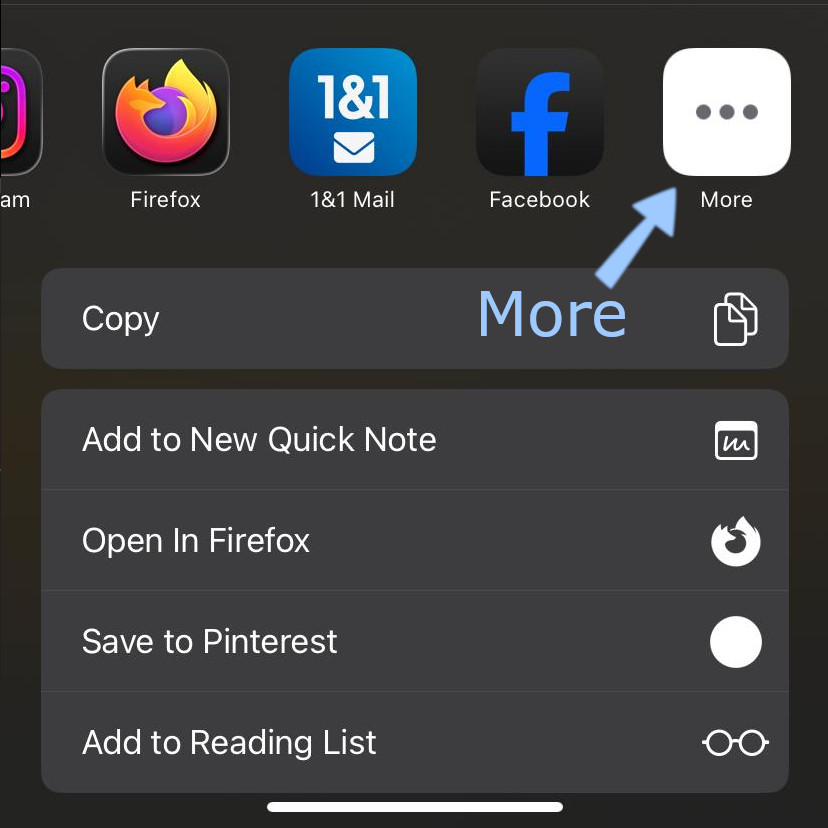
Scroll all the way to the right in the share sheet and tap More.
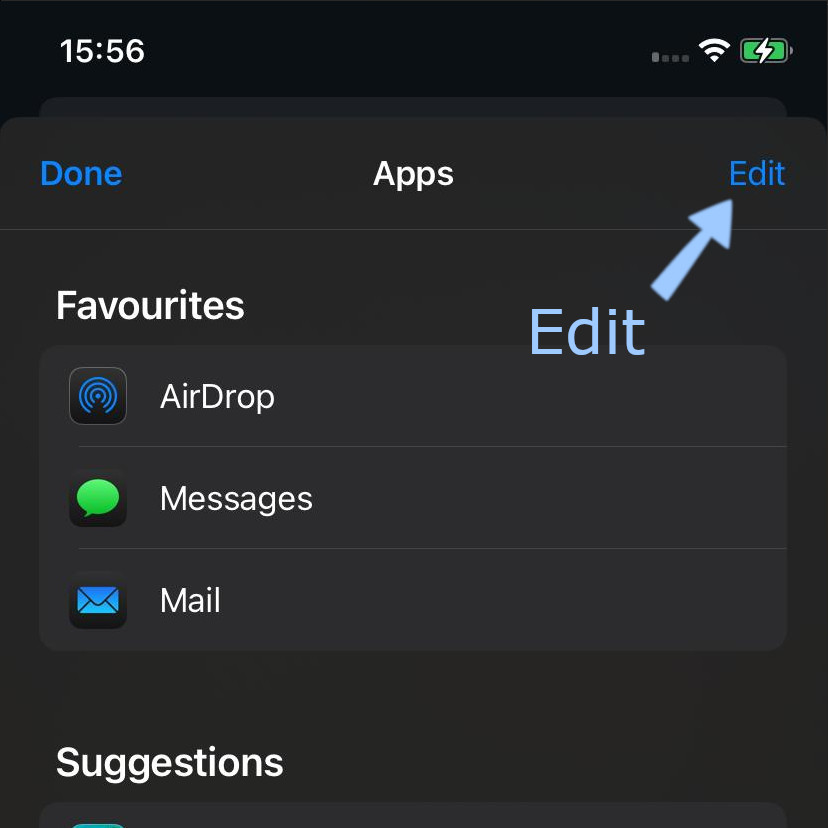
Tap Edit.
Tap the + next to Recipool.
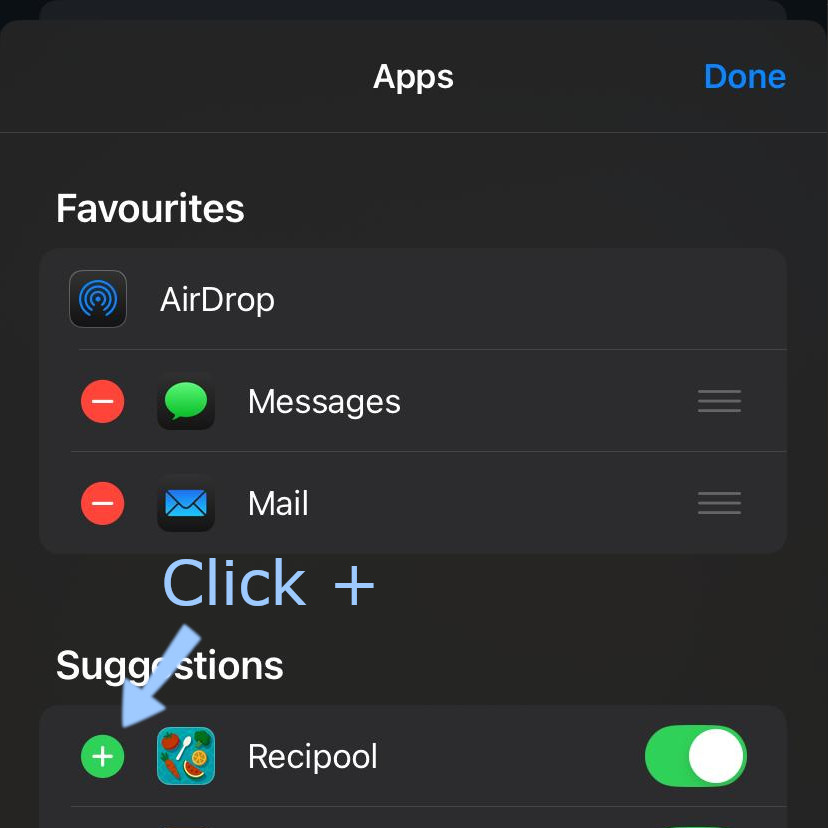
Tap Done twice to save the change.
Recipool should now be available as a share option in the share sheet.